
How I Went from Solo Queue to a Full 30-Player Unite Squad in Pokemon Unite
I used to run solo queue in Pokemon Unite like my life depended on it, but honestly? It was a hot mess. No comms, random teammates, and more losses than I care to admit. Then I finally woke up and smelled the Sitrus Berry: Unite Squads exist for a reason. If you're still grinding alone in 2026, let me put you on game.
No cap, the Unite Squad system is the easiest way to squad up with up to 30 players, earn rewards, and actually enjoy the climb. Here's everything I learned the hard way.
What Are Unite Squads?
Think of a Unite Squad as your own little Pokemon Unite guild. You can join one or create your own, and it gives you a shared hub for chatting, grouping up, and farming squad rewards. It is not just cosmetic—if you ignore it, you're leaving Aeos Tickets, Item Enhancers, and coins on the table.
Creating Your Own Unite Squad
When I first tried this, I was lowkey overwhelmed by all the settings. But it's actually straightforward. From the main menu, open the "Unite Squad" tile and choose "Create a Squad." From there, you'll set:
-
Your squad name
-
A squad description
-
Tags to describe the kind of players you want
-
Join restrictions: anyone can join, or approval by the Leader
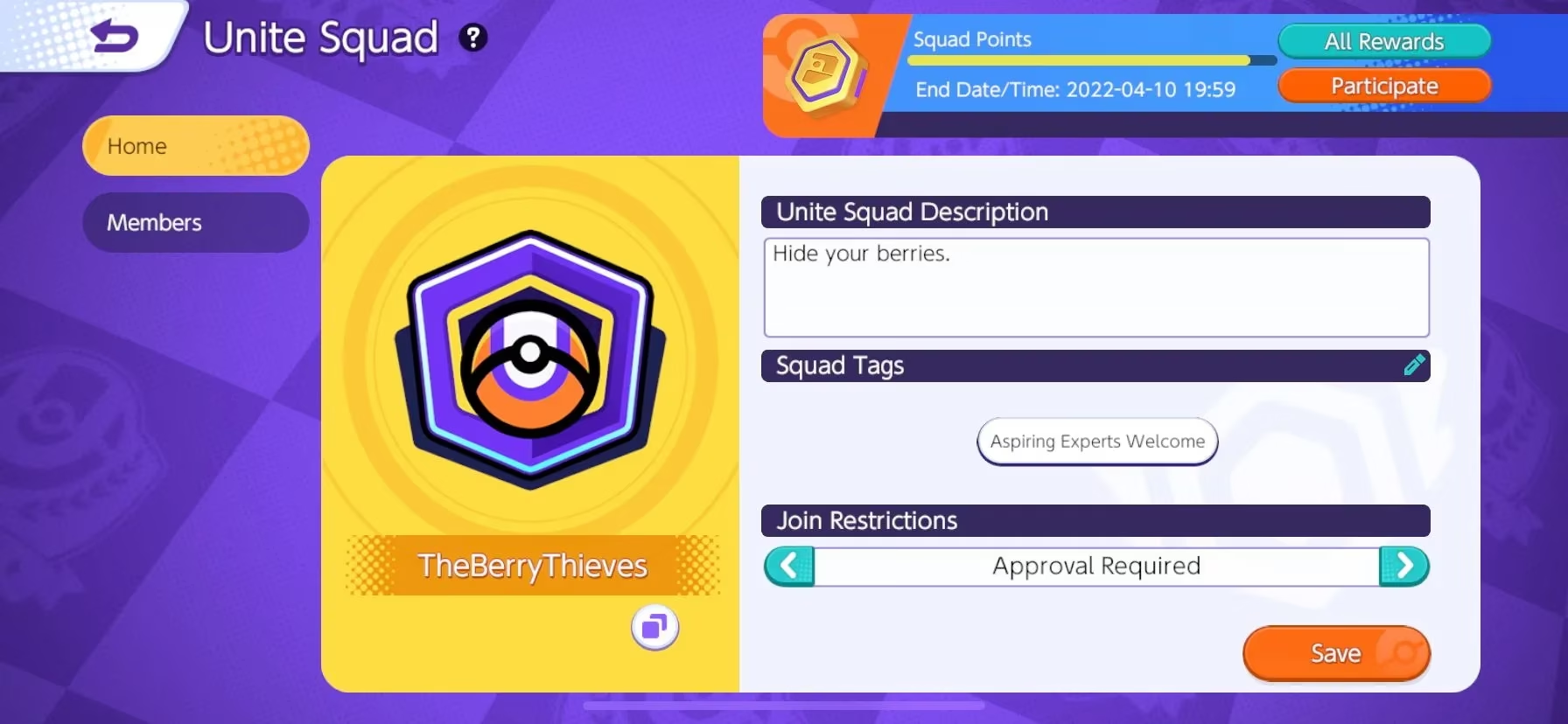
Once you save it, you're officially a squad leader. Easy peasy.
Joining a Unite Squad
If you're not about running your own show, joining is the move. Head to the Unite Squad menu, select "Join a Squad," then search by name or ID number. When you find the right one, hit "Request to Join."
If the squad is set to open, you'll slide right in. If it says "Approval Required," sit tight—the Leader needs to accept you. I had to wait a day once, and I was refreshing the menu like a kid waiting for Christmas.
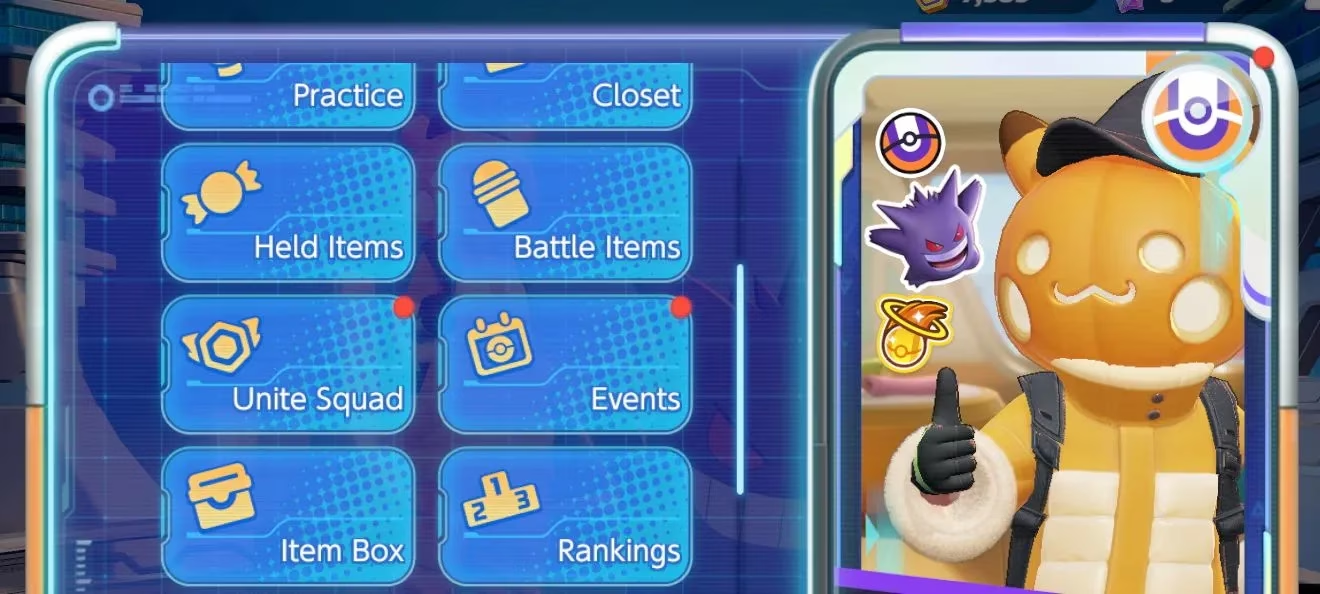
Managing Your Squad: Leader vs Member
After joining or creating a squad, you get access to a bunch of new tools. The Leader gets the VIP treatment, no surprise there. As a Leader, you can:
-
Assign another Squad Leader
-
Approve or deny join requests
-
Remove current members
-
Customize squad settings and profile
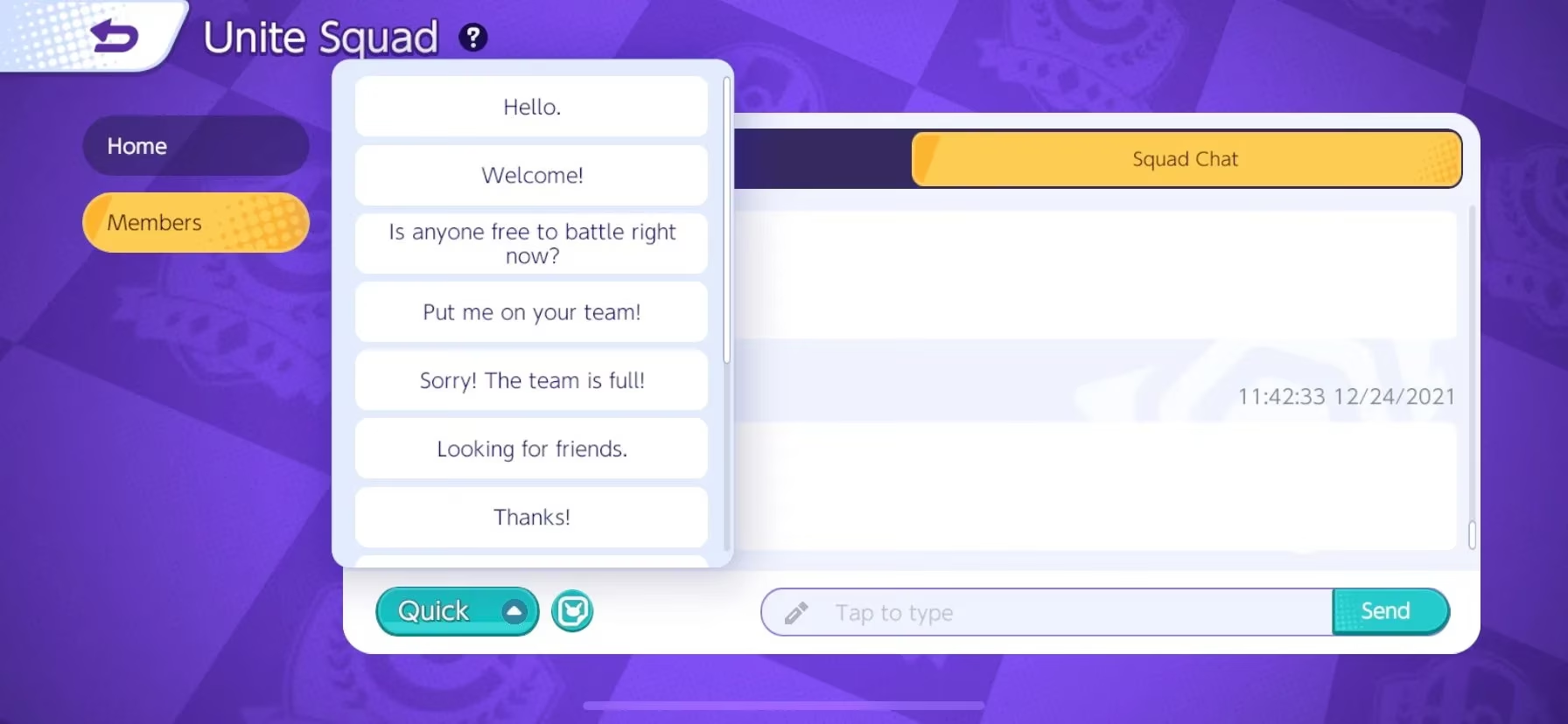
As a regular Member, you're not powerless though. You can view the roster, check other members' profiles, use Squad Chat, and leave the squad whenever you want. The chat alone is a game-changer—no more screaming into the void with random teammates.
Squad Challenges and Reward Ladder
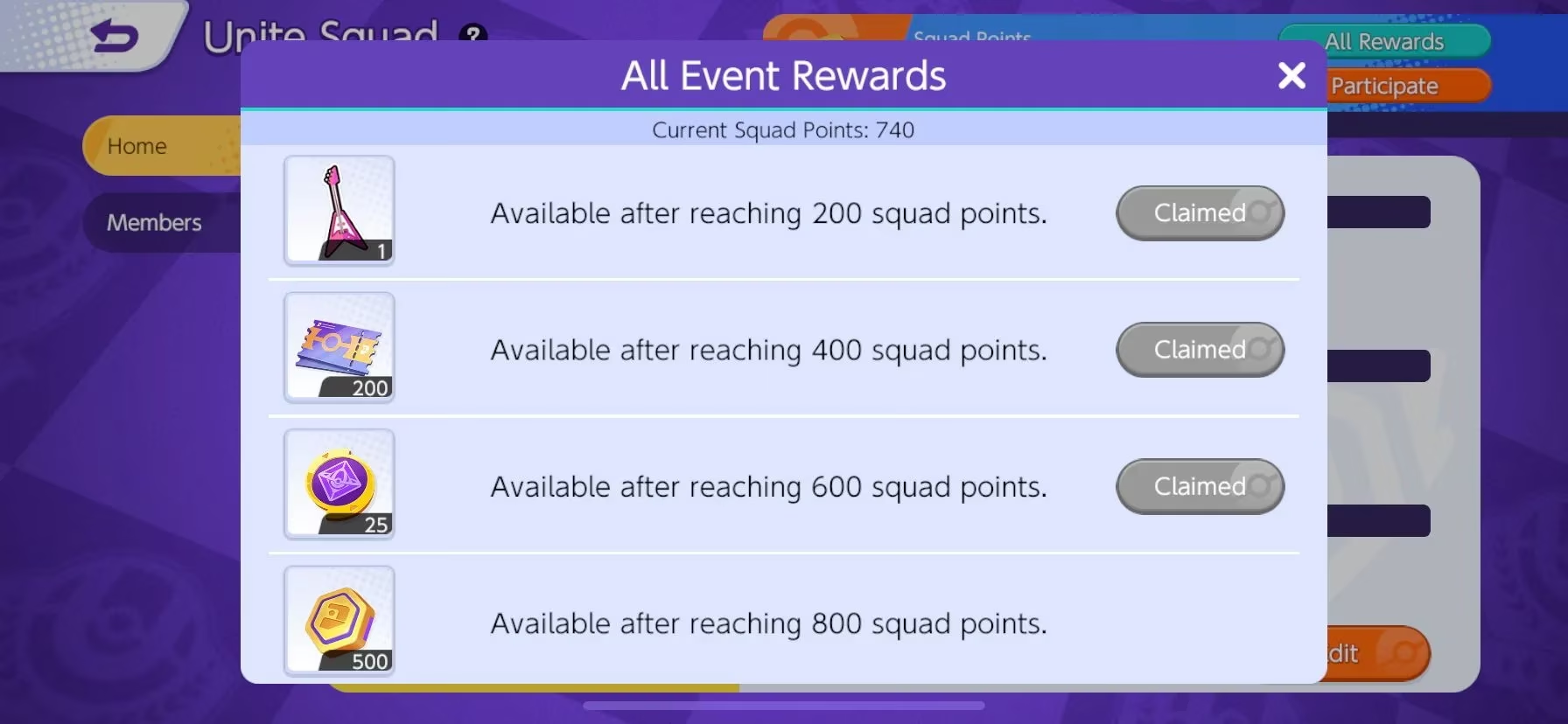
Here's where the real sauce is. Your squad can cooperate on Squad Challenges. The Leader picks a target reward, then everyone earns Squad Points within a time window. Once you hit the target, everyone gets paid. The point ladder is:
| Unite Squad Reward | Squad Points Required |
|---|---|
| Target Reward (Sticker chosen by the Squad Leader) | 200 Squad Points |
| 200 Aeos Tickets | 400 Squad Points |
| 25 Item Enhancers | 600 Squad Points |
| 500 Aeos Coins | 800 Squad Points |
I'll be honest—800 points sounds like a lot, but if you have a few active members knocking out challenges, it fills up faster than you'd think. My squad usually clears the whole ladder in a weekend when we're locked in.
Tips from the Trenches
-
Tag honestly. If you want ranked grinders, say so. Don't bait casual players into a sweaty squad.
-
Chat often. Squad Chat keeps everyone motivated and makes grouping easy.
-
Check your requests daily. If you run a squad, don't leave people hanging.
-
Aim for consistency. Even a few active members can max out rewards if you play regularly.
At the end of the day, Unite Squads turned my Pokemon Unite experience from "rage queue simulator" into an actual team game. So stop sleeping on it, create or join a squad, and get those rewards. Your item enhancers will thank you.